Skip to content
Saud AppsIndependent · iOS
Menu
PhoneSpace app icon Saud Apps · Product 02PhoneSpace

Storageunder pressure.

A storage cleaner that helps you understand and review what occupies your iPhone. Processing stays on your device, and you decide what happens next.

PhoneSpace library showing its storage ring, Photos, Videos, Contacts, Files, and device storage overview

Chapter 02 · The pressure resolves

See what
takes space.

PhoneSpace separates a crowded library into categories that can be understood and reviewed deliberately.

01 · Pressure

A full library first feels like one problem.

The opening state keeps categories close together: present, useful, but difficult to read as a system.

02 · Awareness

The ring gives every category a boundary.

Photos, videos, contacts, and files separate into a clear overview without leaving the device.

03 · Review

Nothing happens before you choose.

PhoneSpace surfaces material for review. It does not turn organization into an invisible destructive action.

04 · Room

The interface emerges. The pressure recedes.

A crowded device becomes an understandable library with clear places to look next.

Chapter 03 · Review before acting

Decisions stay
with you.

The product organizes what is worth reviewing. Selection and cleanup remain deliberate.

01Photos

Find the visual noise.

Review screenshots, large photos, similar photos, duplicate groups, Live Photos, low-resolution media, and older items in separate lists.

02Videos

Start with what is large.

See all videos and the largest files together, with their size available before you decide what to do.

03Contacts + files

Bring order beyond media.

Review duplicate or incomplete contacts, repeated numbers, and folders in your downloads. Contact cleanup includes backup and restore.

Control point

Review first. Confirm next. Cleanup is never presented as automatic.

Photo deletion follows Apple’s system confirmation. Processing remains on the iPhone.

Chapter 04 · Tools for reclaiming space

Reduce weight.
Keep control.

PhoneSpace includes on-device compression and conversion tools alongside library review.

CompressChoose a compression level before proceeding On device
ConvertWork with supported photo and video formats Deliberate

Abstract product diagram

Tools, not promises.

The diagrams describe supported actions without inventing a guaranteed saving, automatic result, or fictional intelligence.

Chapter 05 · Real product evidence

One library.
Two environments.

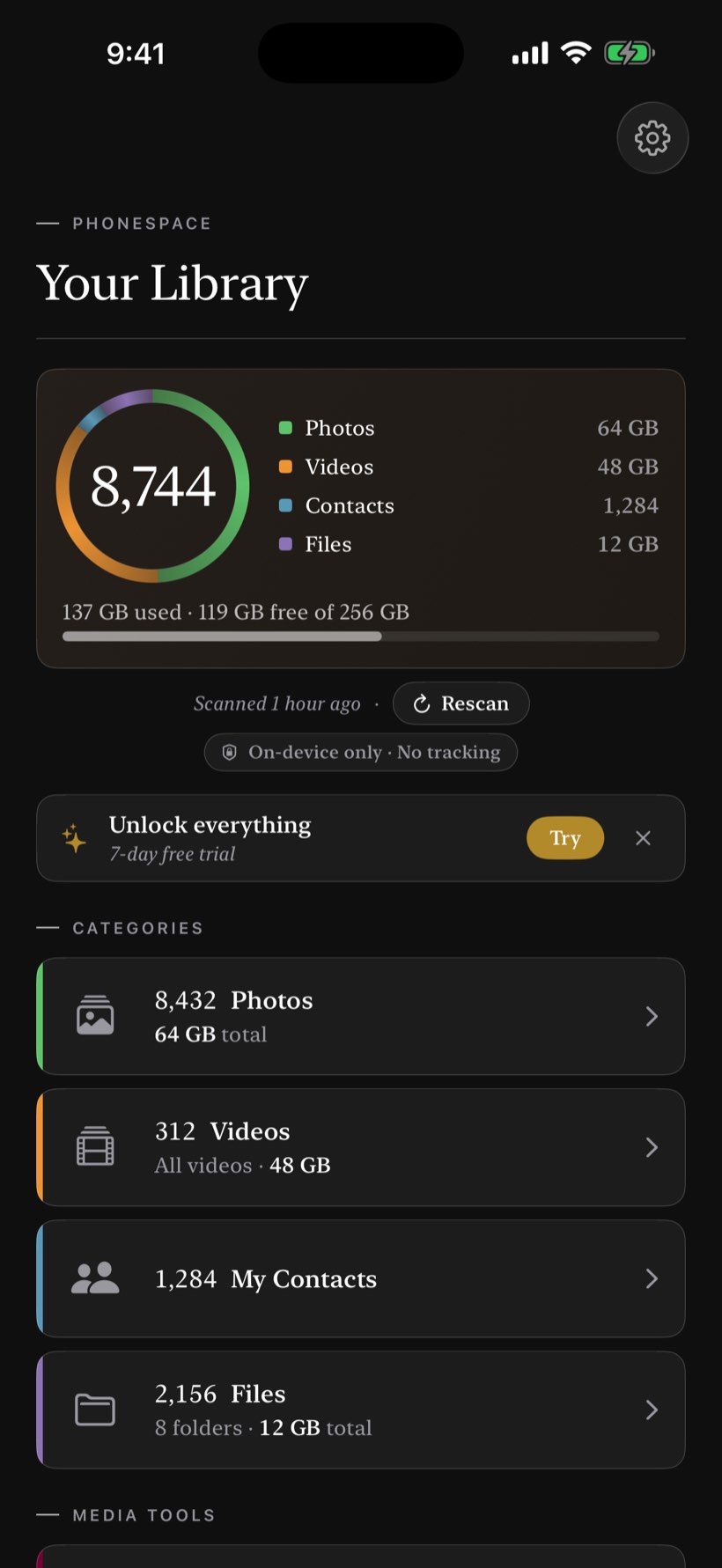
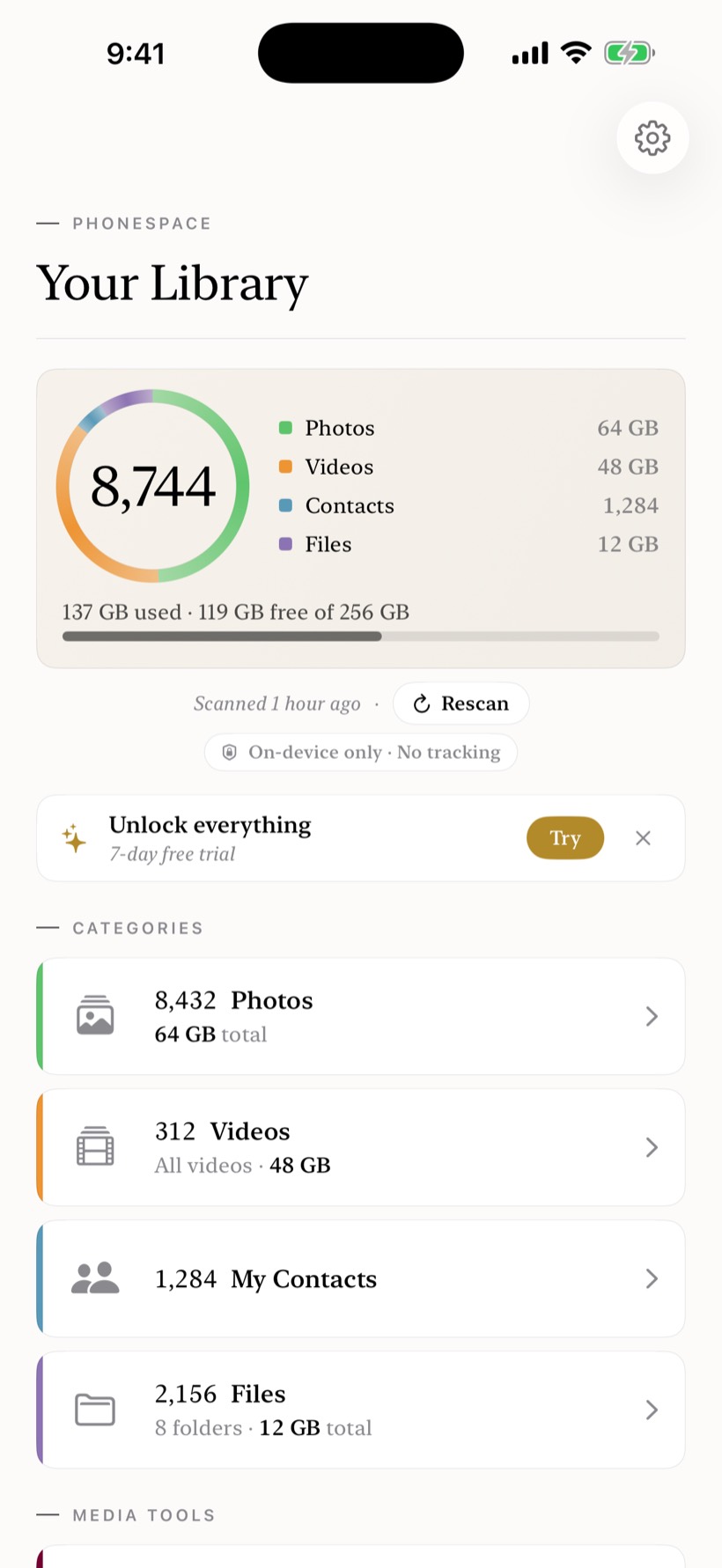
These are real PhoneSpace screens. Decorative category systems elsewhere on the page remain visibly abstract.

PhoneSpace library in light mode with storage overview and four category rows
Real interface · 01Library · Day
PhoneSpace library in dark mode with storage overview and four category rows
Real interface · 02Library · Night

Chapter 06 · What changed

The product
keeps moving.

Release history is rendered from the existing Saud Apps release record.

Current fallback · iOS v1.1

Live App Store metadata enhances the page when available. The truthful static version remains visible when it is not.

Chapter 07 · Breathing room

Make space
understandable.

PhoneSpace runs its review and processing tools on your iPhone. Nothing is uploaded, and the final decision stays with you.