A PDF enters from another app or Files.يدخل ملف PDF من تطبيق آخر أو من «الملفات».
Filed copies the document into its own on-device library.ينسخ Filed المستند إلى مكتبته الخاصة على الجهاز.
 Saud Apps · Product 03تطبيقات سعود · المنتج ٠٣Filed
A private, local-first home for PDFs on your iPhone. Receive them, organize them into colored folders, read, sign, and share—without an account or a remote library.بيت خاص لمستندات PDF على آيفونك يضع الجهاز أولًا. استقبلها ونظّمها في مجلدات ملونة واقرأها ووقّعها وشاركها—بلا حساب وبلا مكتبة بعيدة.
Chapter 02 · Receive → organizeالفصل ٠٢ · استقبال ← تنظيم
A PDF arrives as a loose page. Boundaries, a rail, and a folder turn it into something easy to find again.يصل ملف PDF صفحةً مبعثرة. حدود وسكة ومجلد تحوّله إلى شيء سهل العثور عليه مجددًا.
Filed copies the document into its own on-device library.ينسخ Filed المستند إلى مكتبته الخاصة على الجهاز.
A clear document plane replaces an undefined attachment.مستوى مستند واضح يحل محل مرفق مبهم.
Order is communicated through position, not decoration.يتحدّث الترتيب عبر الموضع، لا الزخرفة.
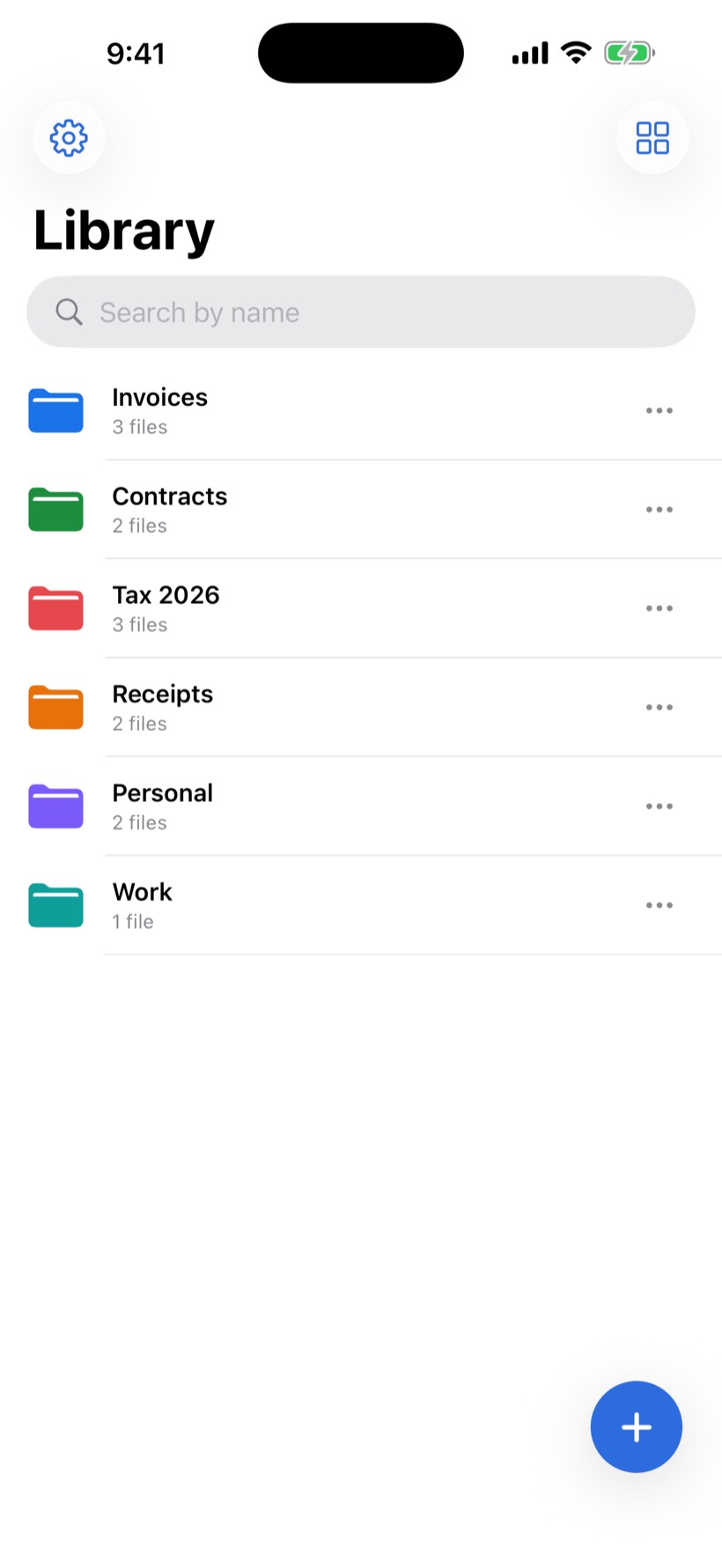
Names, sections, and filters make the library legible.الأسماء والأقسام والمرشحات تجعل المكتبة مقروءة.
The interface stays readable as the abstract system recedes.تبقى الواجهة مقروءة بينما يتراجع النظام المجرد.
The filing system leads into the work the document needs next.يقودك نظام الأرشفة إلى العمل الذي يحتاجه المستند تاليًا.
Chapter 03 · Give every file an addressالفصل ٠٣ · امنح كل ملف عنوانًا
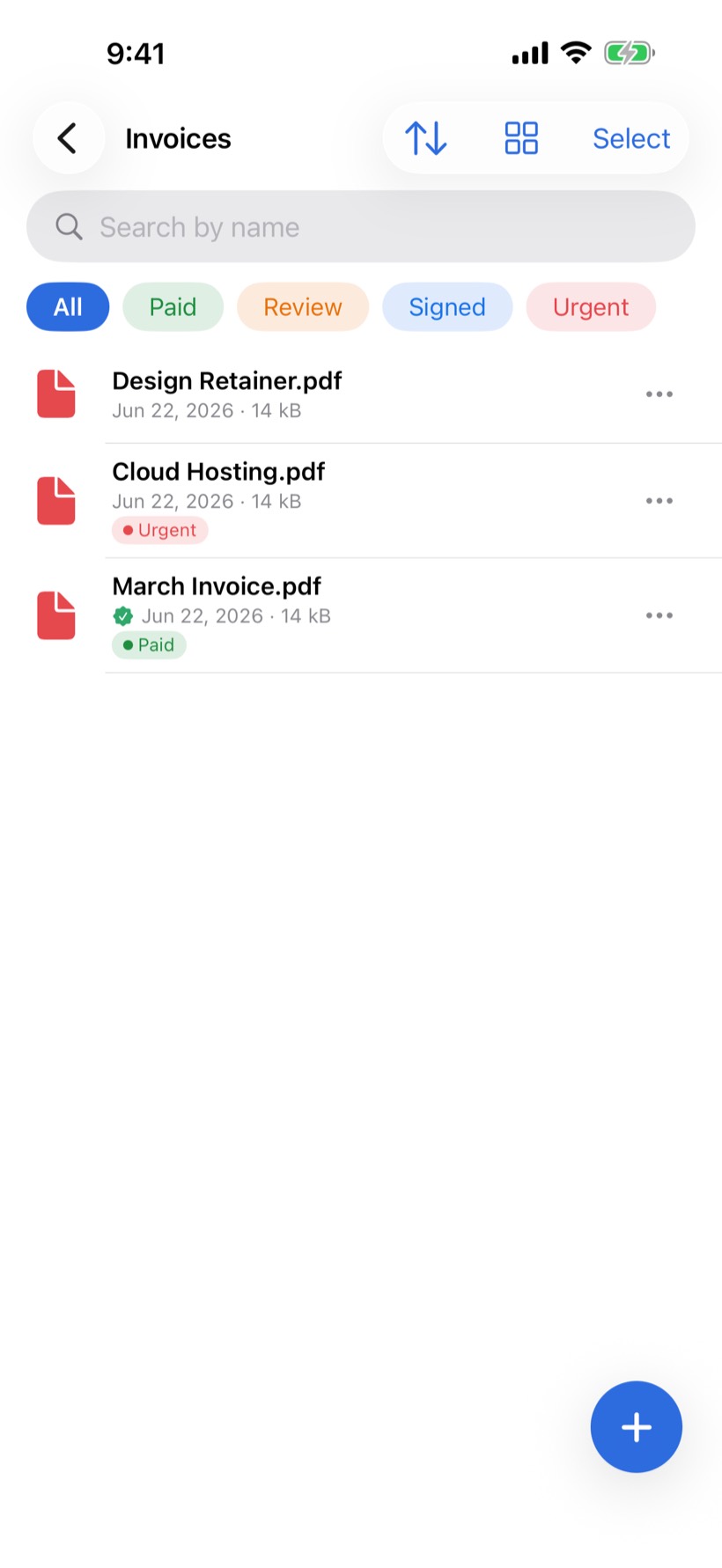
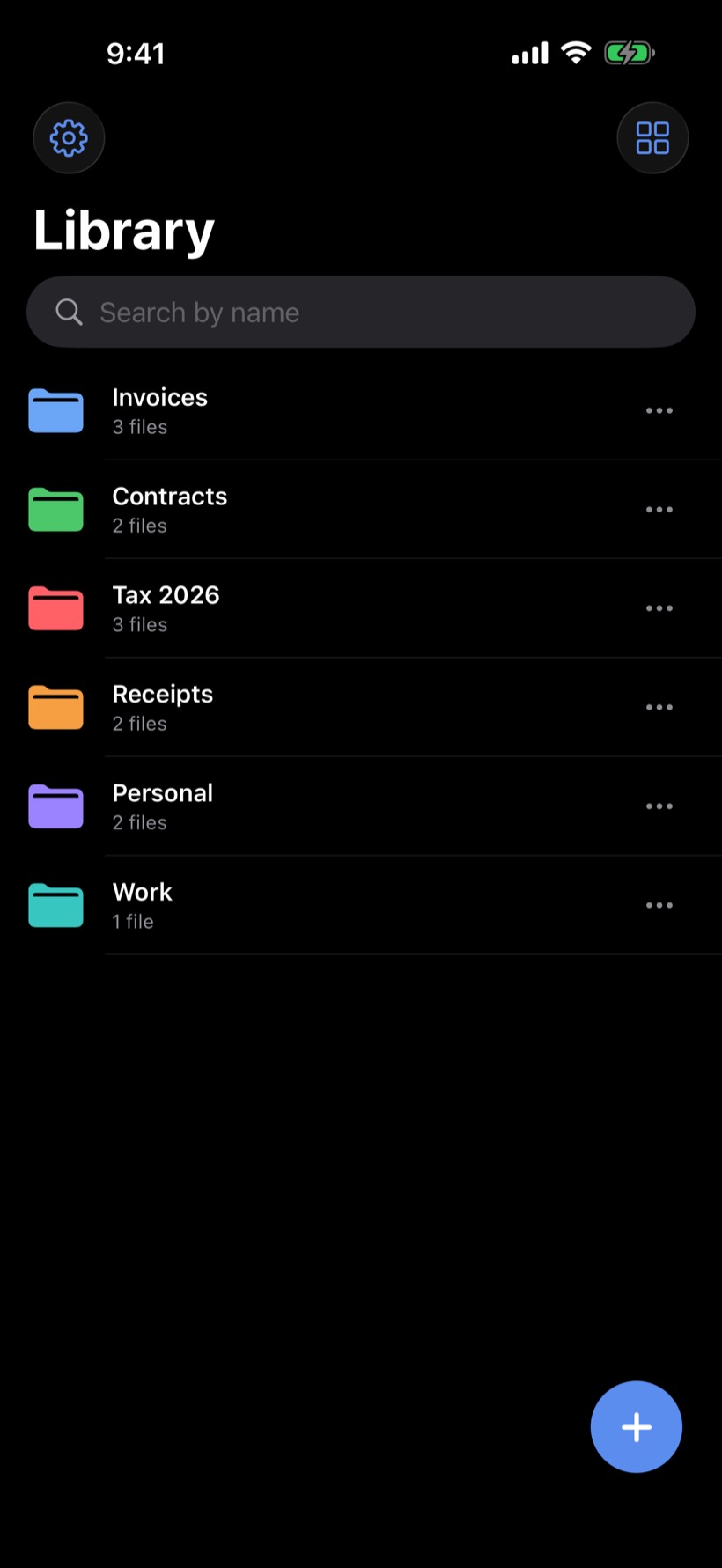
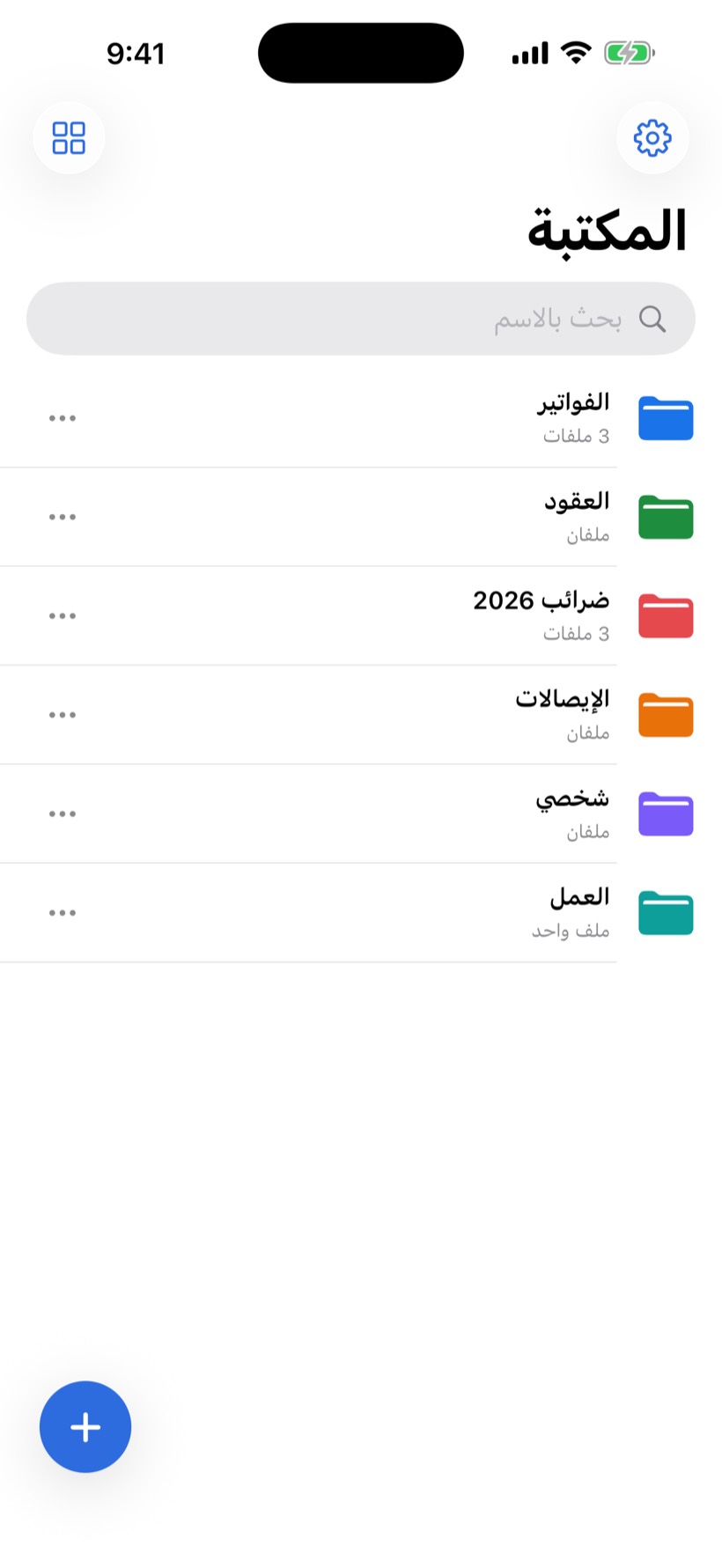
Colored folders, file names, search, list or grid views, and filter tags keep documents findable without automatic classification.المجلدات الملونة وأسماء الملفات والبحث وعروض القائمة أو الشبكة ووسوم المرشحات تحافظ على قابلية العثور على المستندات دون تصنيف تلقائي.
Manual structure · clear names · visible filtersبنية يدوية · أسماء واضحة · مرشحات ظاهرة
Chapter 04 · Read with clarityالفصل ٠٤ · اقرأ بوضوح
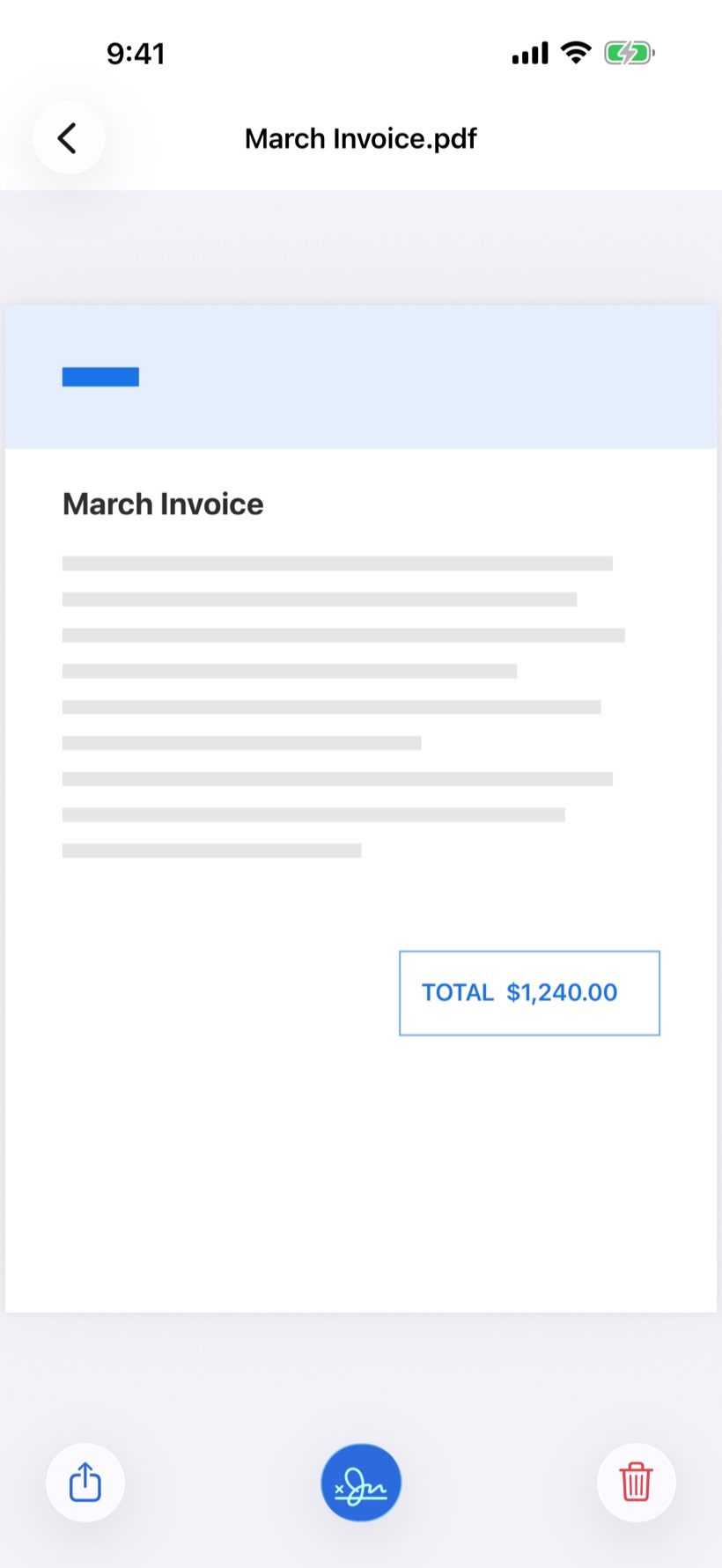
Filed uses Apple’s PDFKit for a focused, full-screen reading view. Pinch to zoom, move through pages, and use page thumbnails to navigate.يستخدم Filed إطار PDFKit من آبل لعرض قراءة مركّز بملء الشاشة. اضغط بإصبعين للتكبير، وتنقّل بين الصفحات، واستخدم مصغرات الصفحات للتنقل.
Chapter 05 · Sign with intentionالفصل ٠٥ · وقّع بقصد
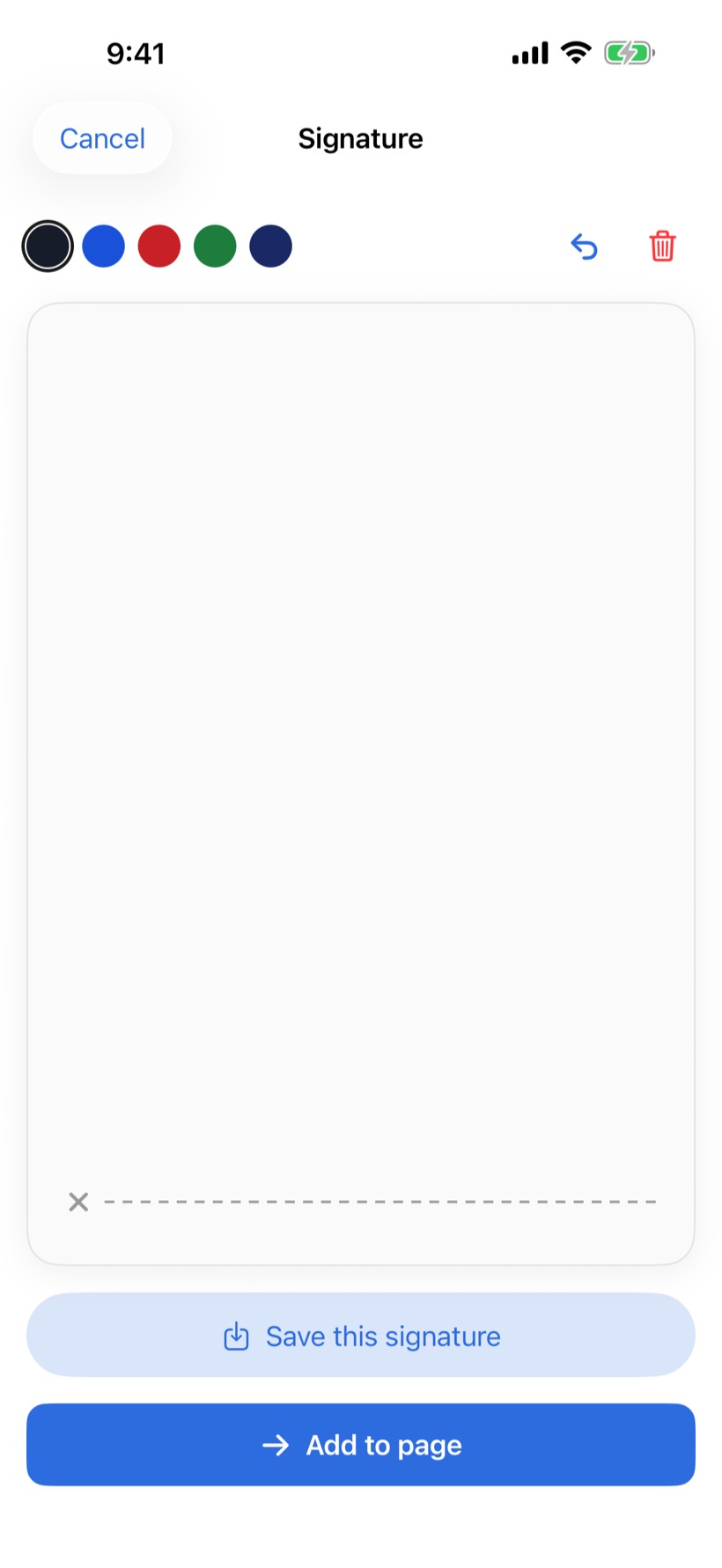
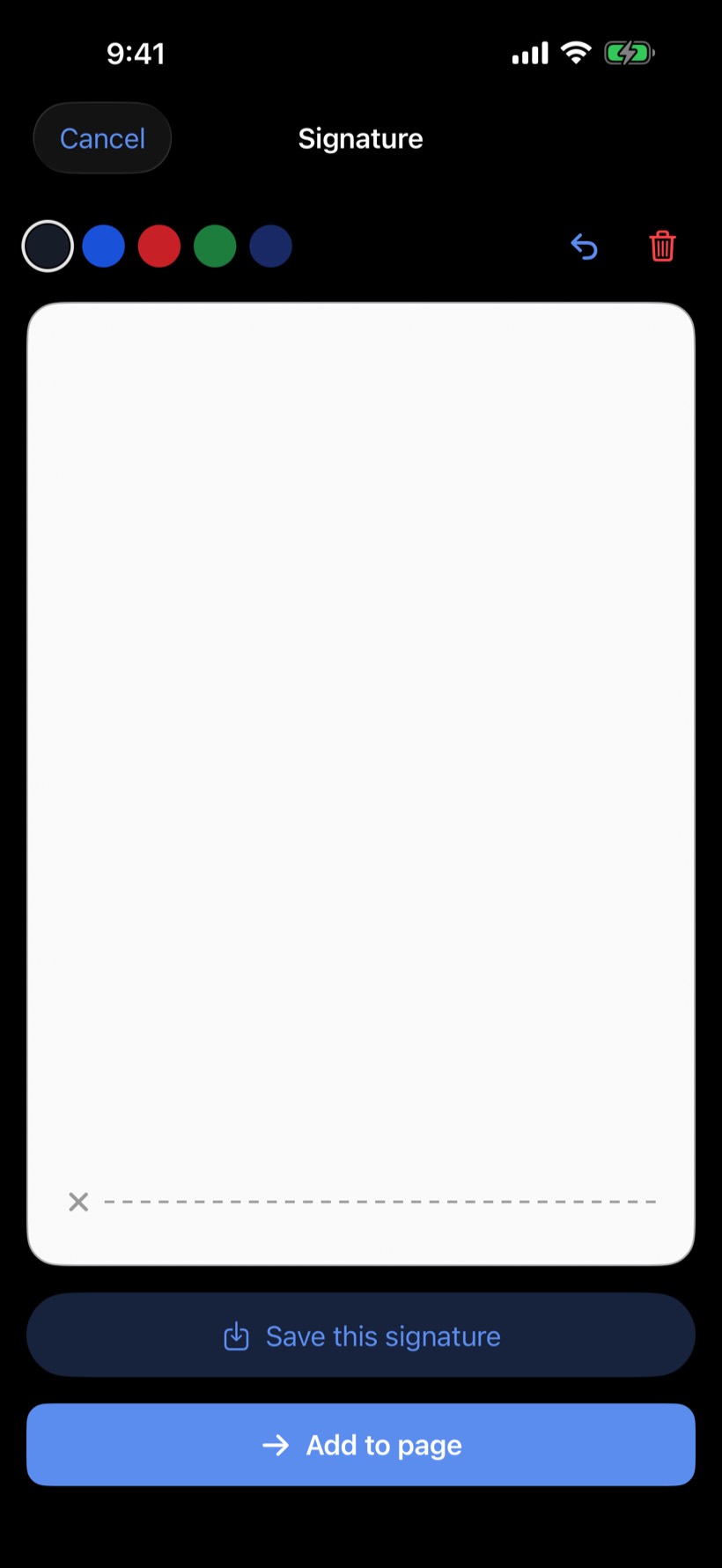
Draw a signature, choose its ink, place and size it on the page, then export a new signed copy on your device.ارسم توقيعك واختر حبره وضعه وحجّمه على الصفحة، ثم صدّر نسخة موقعة جديدة على جهازك.
Signature pathمسار التوقيعPlace · size · exportوضع · حجم · تصدير
Chapter 06 · Share and keep controlالفصل ٠٦ · شارك وحافظ على التحكم
Select one or several PDFs and share them through the iOS Share Sheet, or export them to Files. Filed’s own library remains local-first.اختر ملف PDF واحدًا أو عدة ملفات وشاركها عبر ورقة المشاركة في iOS أو صدّرها إلى «الملفات». تبقى مكتبة Filed نفسها محلية أولًا.
Use the system Share Sheet for the documents you choose.استخدم ورقة المشاركة النظامية للمستندات التي تختارها.
Export documents when they need to live outside Filed.صدّر المستندات عندما تحتاج إلى العيش خارج Filed.
Documents stay on the iPhone, with an optional Face ID or Touch ID app lock.تبقى المستندات على الآيفون، مع قفل اختياري للتطبيق ببصمة الوجه أو بصمة الإصبع.
Chapter 07 · Real product recordالفصل ٠٧ · سجل منتج حقيقي
Every image below is a real Filed screen. The Arabic capture is product evidence captured from the app itself.كل صورة أدناه شاشة حقيقية من Filed. واللقطة العربية دليل منتج مأخوذ من التطبيق نفسه.
Chapter 08 · Release and continuityالفصل ٠٨ · الإصدار والاستمرارية
Live App Store metadata and the existing release record enhance this truthful static baseline when available.بيانات آب ستور الحية وسجل الإصدارات القائم يُثريان هذا الأساس الثابت الصادق عند توفرهما.
Current fallback · iOS v1.0النسخة الاحتياطية الحالية · iOS v1.0
Filed is available on the App Store. Its first public release currently has no supplied release note.يتوفر Filed على آب ستور. ولا تتضمن إصداره العام الأول حاليًا ملاحظات إصدار.
No release notes provided.لا توجد ملاحظات إصدار.
Filed · The Filing CutFiled · مشهد الأرشفة
Receive documents from other apps or Files, organize them, read them, sign them, and share the copies you choose—all from a private library on your iPhone.استقبل المستندات من تطبيقات أخرى أو من «الملفات»، ونظّمها، واقرأها، ووقّعها، وشارك النسخ التي تختارها—كل ذلك من مكتبة خاصة على آيفونك.